

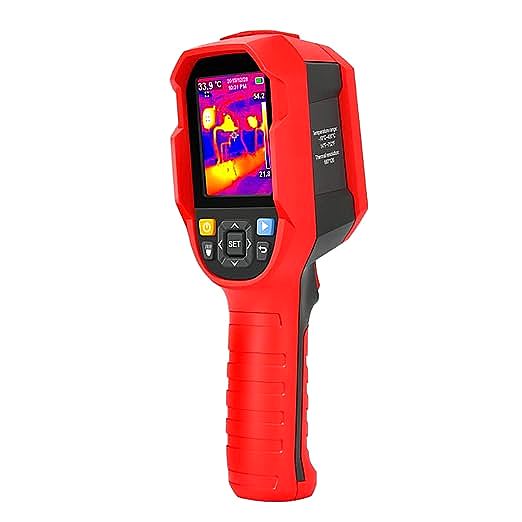
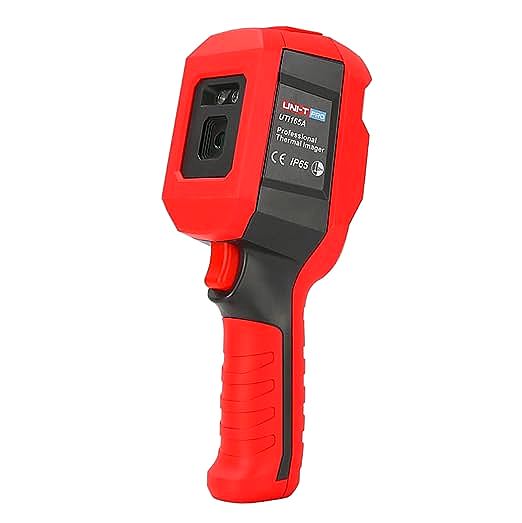
If you’ve spent any time in electronics repair forums, you’ve seen the triumphant posts: a thermal camera, like the UNI-T UTi165A, revealing a single, glowing-hot component on a dead circuit board. It’s the modern-day equivalent of a detective’s smoking gun—a clear, undeniable clue pointing to a short circuit. This is, without a doubt, a revolutionary capability for any workbench.
But what happens next? What if the board isn’t shorted, but just… misbehaving? What if a component is running hot, but not catastrophically so? Relying on a thermal imager just to hunt for the brightest spot is like using a master detective’s toolkit only to look for fingerprints. The real magic happens when you stop being a “hot-spot hunter” and become a “thermal-map detective.” It’s about learning to read the entire thermal landscape of a PCB to understand its story—the story of every component’s effort, stress, and potential failure.
This guide will teach you to do just that. We’ll move beyond the simple “gotcha!” of a short circuit and into the nuanced art of thermal diagnostics.
Step 1: Establish a “Thermal Baseline” – What a Healthy PCB Looks Like
Before you can spot a problem, you must understand what “normal” looks like. A “healthy” PCB is never uniformly cool. It has a characteristic thermal signature, a landscape of gentle hills and valleys representing the normal operation of its components.
Power up a known-good board and observe it with your thermal imager. You’ll notice a few things:
- The Usual Suspects: Voltage regulators, especially linear regulators, are often the warmest components. This is basic physics at play. The power they dissipate as heat can be calculated as
P_dissipated = (Input_Voltage - Output_Voltage) * Load_Current. A linear regulator dropping 5V down to 3.3V at 500mA is actively turning(5 - 3.3)V * 0.5A = 0.85 wattsof power into pure heat. That’s its job. - The Brains of the Operation: The main processor or microcontroller will warm up under load. This is normal. What you’re looking for is the pattern of heat. Does it spread evenly across the chip’s package?
- The Power Pathways: High-current traces on the board might be slightly warmer than their surroundings. Large ground planes (GND), on the other hand, act as effective heatsinks and will often appear cooler.
Your first task with any board you’re diagnosing is to establish this baseline. What does it look like at idle? What does it look like under full load? Save these reference images. This is your “health record.” Without it, you’re just guessing.
The Core Skill: Deciphering Clues in the Thermal Map
Once you have your baseline, you can start looking for deviations. Thermal anomalies on a PCB generally fall into three categories.
- The Obvious Hot Spot: This is our classic short circuit. According to Joule’s first law, heat produced
(P)is proportional to the current squared(I²)times the resistance(R). In a short circuit, the resistance is nearly zero, causing the current to rush in, producing an intense, localized hot spot. A thermal imager with a resolution like 80×60 is more than capable of spotting this thermal “scream.” -
The Unsettling Warm Zone: This is more subtle and often more interesting. A component or an area of the board is warmer than it was in your “healthy” baseline, but it isn’t glowing white-hot. This could mean many things:
- Component Under Stress: An upstream failure might be forcing a component to work harder than it was designed to. For example, a failing sensor might be causing a microcontroller’s ADC to work overtime.
- Downstream Problem: The component itself might be fine, but its load could have a problem. An audio amplifier chip might be overheating because the speaker it’s driving has a partially shorted voice coil.
- Poor Thermal Design: The component is operating normally, but the PCB layout isn’t effectively pulling heat away from it. This is a design flaw, not a component failure.
- The Suspiciously Cold Spot: This is the most overlooked clue. If a component that should be working—like a voltage regulator or an oscillator—is at the same ambient temperature as the rest of the board, it’s a powerful sign. It means it’s likely not receiving power or isn’t being enabled. This can instantly narrow your search from the entire board down to the power delivery for that specific component.
Case File: The Raspberry Pi That Wouldn’t Boot
Let’s apply this with a real-world scenario. You have a Raspberry Pi that doesn’t boot. You plug it in, and… nothing.
Initial Investigation: You point your thermal imager at the board. There’s no single, blazing hot spot, so a dead short on the main power rail is unlikely. This isn’t a simple case.
Developing a Lead: You compare the live thermal image to a “healthy” one you found online. You notice that the main Power Management Integrated Circuit (PMIC) is significantly warmer than it should be at idle, sitting at 65°C instead of a typical 45°C. This is our “Unsettling Warm Zone.”
The Detective’s Logic: The PMIC being hot could mean two things:
a) The PMIC itself is faulty.
b) The PMIC is healthy, but one of the power rails it supplies has a fault, causing the PMIC to struggle and overheat.
Simply replacing the PMIC is a gamble. A true detective gathers more evidence. You look at the components around the PMIC. You notice a small tantalum capacitor on the 1.8V output rail is also slightly warm. Now you have a prime suspect. A leaky or partially shorted capacitor on a power rail would cause the PMIC to continuously supply excess current, leading to its overheating. After removing that capacitor, the board boots. Case closed. The PMIC’s heat was the symptom, not the cause.
The Secret Weapon: Mastering Emissivity
During that investigation, you’d run into a problem. The shiny top of the PMIC might read 50°C, while the matte black capacitor next to it reads 60°C. Are they actually at different temperatures? Probably not. The issue is emissivity.
Emissivity is a measure of how efficiently a surface radiates heat, on a scale from 0 to 1. Dull, black surfaces are great radiators (emissivity 0.95), while shiny, metallic surfaces are poor radiators (emissivity < 0.2). A thermal camera only sees the radiated energy, so if you don’t account for emissivity, you’ll get wildly inaccurate temperature readings from shiny components.
Thankfully, imagers like the UTi165A have adjustable emissivity. But how do you know the right value? Here’s the pro tip: don’t guess, control the variable. Take a small piece of standard black electrical tape (which has a known, high emissivity of ~0.95) and place it on the component you want to measure. Set your camera’s emissivity to 0.95 and measure the temperature of the tape. This gives you a highly accurate reading of the component’s true surface temperature, regardless of how shiny it is.
Conclusion: From Tool User to diagnostician
A thermal imager is an extraordinary tool. But its true power is unlocked only when you change your thinking. Stop looking for the obvious fire and start studying the subtle warmth and unexpected cold. Establish baselines, understand the clues, and use techniques like emissivity control to get reliable data.
By shifting from being a hot-spot hunter to a thermal-map detective, you transform the device from a simple short-finder into a profound diagnostic instrument. You’ll solve problems faster, gain a deeper understanding of how your circuits work, and maybe even catch failures before they happen. The heat is telling a story. You just have to learn how to read it.
